

In this post, we will talk about how to select multiple files using JavaScript and create separate records in the FileMaker application. It will work in Windows version FileMaker.
Overview:
One of our customers asked need to select multiple files from FileMaker, but unfortunately, there is no option to select multiple files.
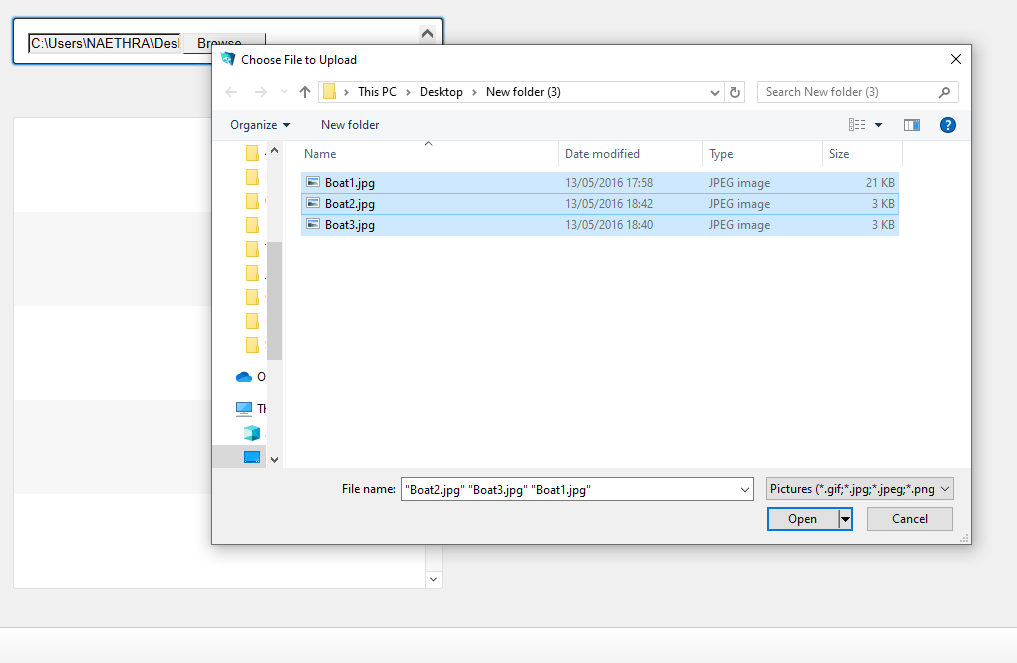
To overcome this problem, we have found a solution to select multiple files from FileMaker using JavaScript. When we call this JavaScript in FileMaker Web Viewer, it will allow selecting the multiple files and will copy the selected path. We can then process copied path and create a Separate record in FileMaker.
Steps to select multiple files in FileMaker.
Step 1: Create a Web Viewer
- Create Web viewer and call the following JavaScript
“<!DOCTYPE html>
<html>
<body>
<input id=\”demo2\” type=\”file\” name=\”demo\” multiple onchange=\”getFiles()\” />
<script>
function getFiles(){
copyTextToClipboard(document.getElementsByName(‘demo’)[0].value);
}
function fallbackCopyTextToClipboard(text) {
var textArea = document.createElement(‘textarea’);
textArea.value = text;
textArea.style.top = ‘0’;
textArea.style.left = ‘0’;
textArea.style.position = ‘fixed’;
document.body.appendChild(textArea);
textArea.focus();
textArea.select();
try {
var successful = document.execCommand(‘copy’);
var msg = successful ? ‘successful’ : ‘unsuccessful’;
} catch (err) {
}
document.body.removeChild(textArea);
}
function copyTextToClipboard(text) {
if (!navigator.clipboard) {
fallbackCopyTextToClipboard(text);
return;
}
navigator.clipboard.writeText(text).then(function() {
}, function(err) {
});
}
</script>
</body>
</html>”
- It will allow selecting the multiple files and will copy the selected path, Please see the below screenshot,
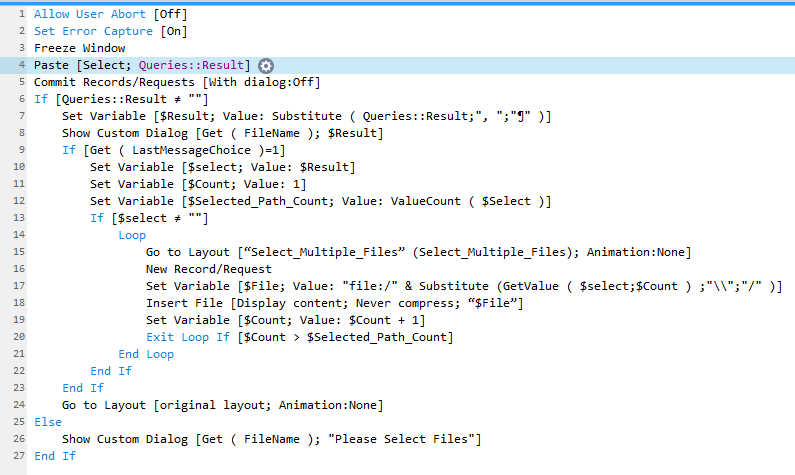
Step 2: Create a script to add separate records of the selected path.
- Paste the copied path in a separate field.
- The Path can be separated by new line character
- Using the paths will create separate records
- For clear detail, please refer below screenshot
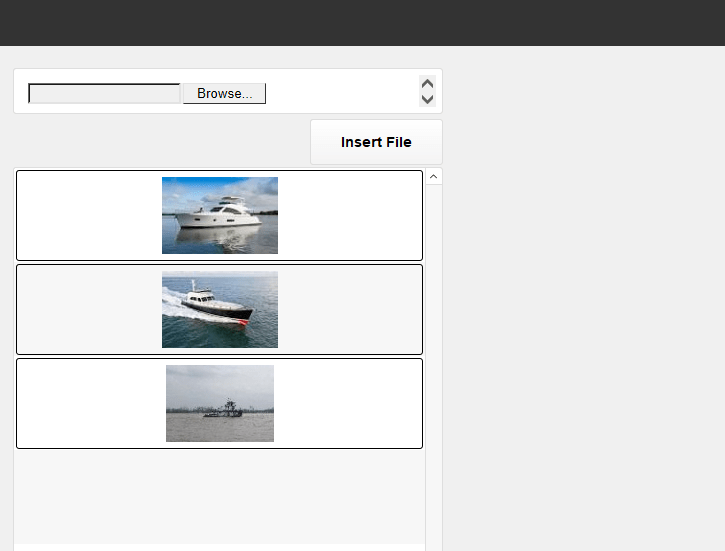
- After executing the above script, it will create separate records of the selected path, like below
The team at FMDBSolutions hopes this article taught about how to select multiple files using JavaScript in FileMaker. FMDBSolutions is a team of well-qualified experts that have a lot of experience with the many versions of FileMaker Pro and the FileMaker Go app too.
Our team knows all about transitioning, migrating, converting, and upgrading for FileMaker. Companies that require FileMaker Integration can also use our services. We have worked with clients from the USA, Australia, and Singapore and will complete your FileMaker assignment in the best possible way at a lower price but at the same or higher level of excellence.
If you want solutions to your FileMaker database, we can help. Click the below box for a free FileMaker consultation.

You can also leave us your email below for receiving new updates regarding FileMaker and our company.
