


Skills Used:
FileMaker
The client is a leading engineering solution partnerships to a wide range of businesses including automotive, defense, energy, health care and service industry in Turkey.
This application helps to identify the failures in production and prioritizing the failures.
Failure modes and effects analysis (FMEA) is a step-by-step approach for identifying all possible failures in a design, a manufacturing or assembly process, or a product or service.
“Failure modes” means the ways, or modes, in which something might fail. Failures are any errors or defects, especially ones that affect the customer, and can be potential or actual.
“Effects analysis” refers to studying the consequences of those failures.
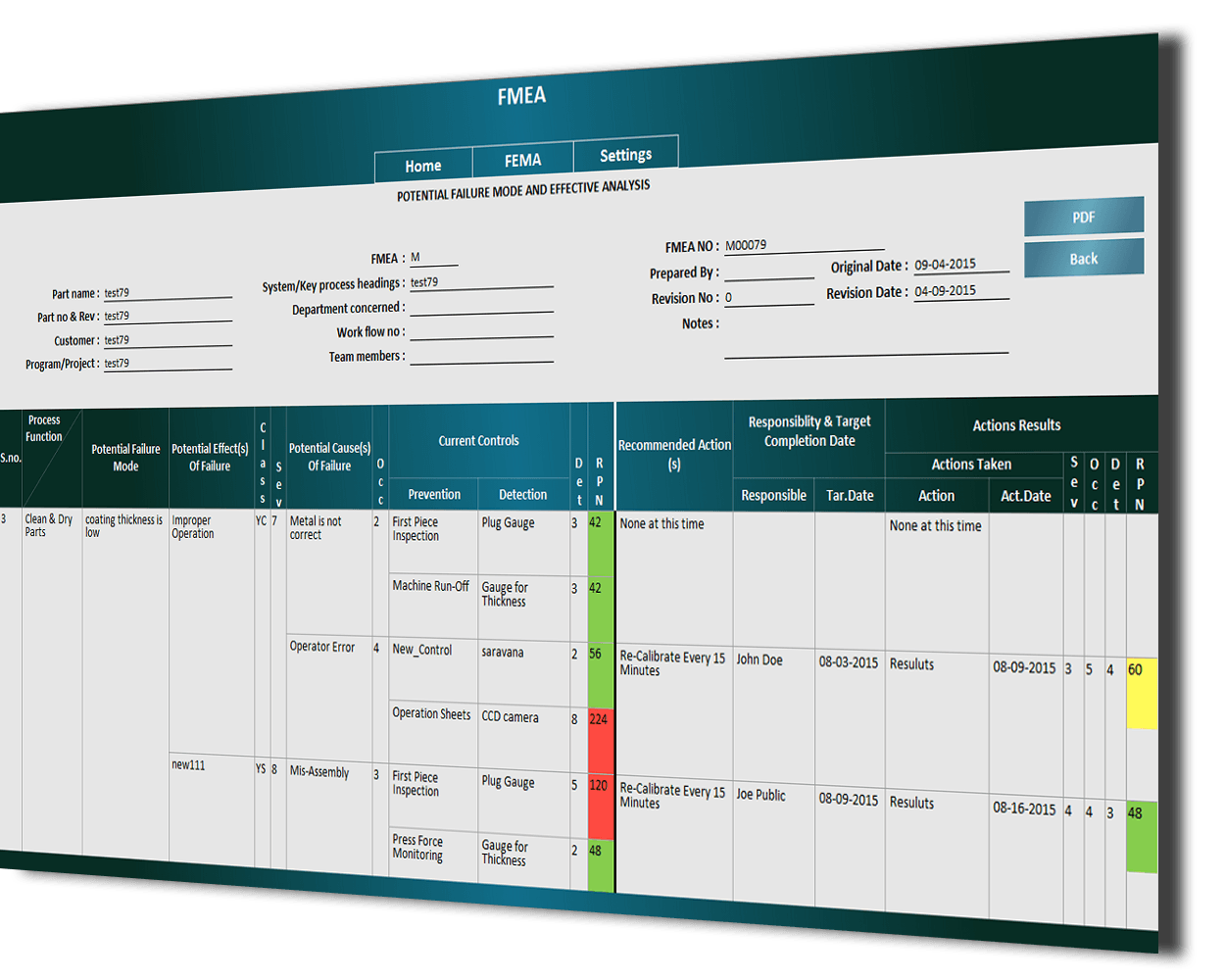
Failures are prioritized according to how serious their consequences are, how frequently they occur and how easily they can be detected. The purpose of the FMEA is to take actions to eliminate or reduce failures, starting with the highest-priority ones.
Failure modes and effects analysis also documents current knowledge and actions about the risks of failures, for use in continuous improvement. FMEA is used during design to prevent failures. Later it’s used for control, before and during ongoing operation of the process. Ideally, FMEA begins during the earliest conceptual stages of design and continues throughout the life of the product or service.
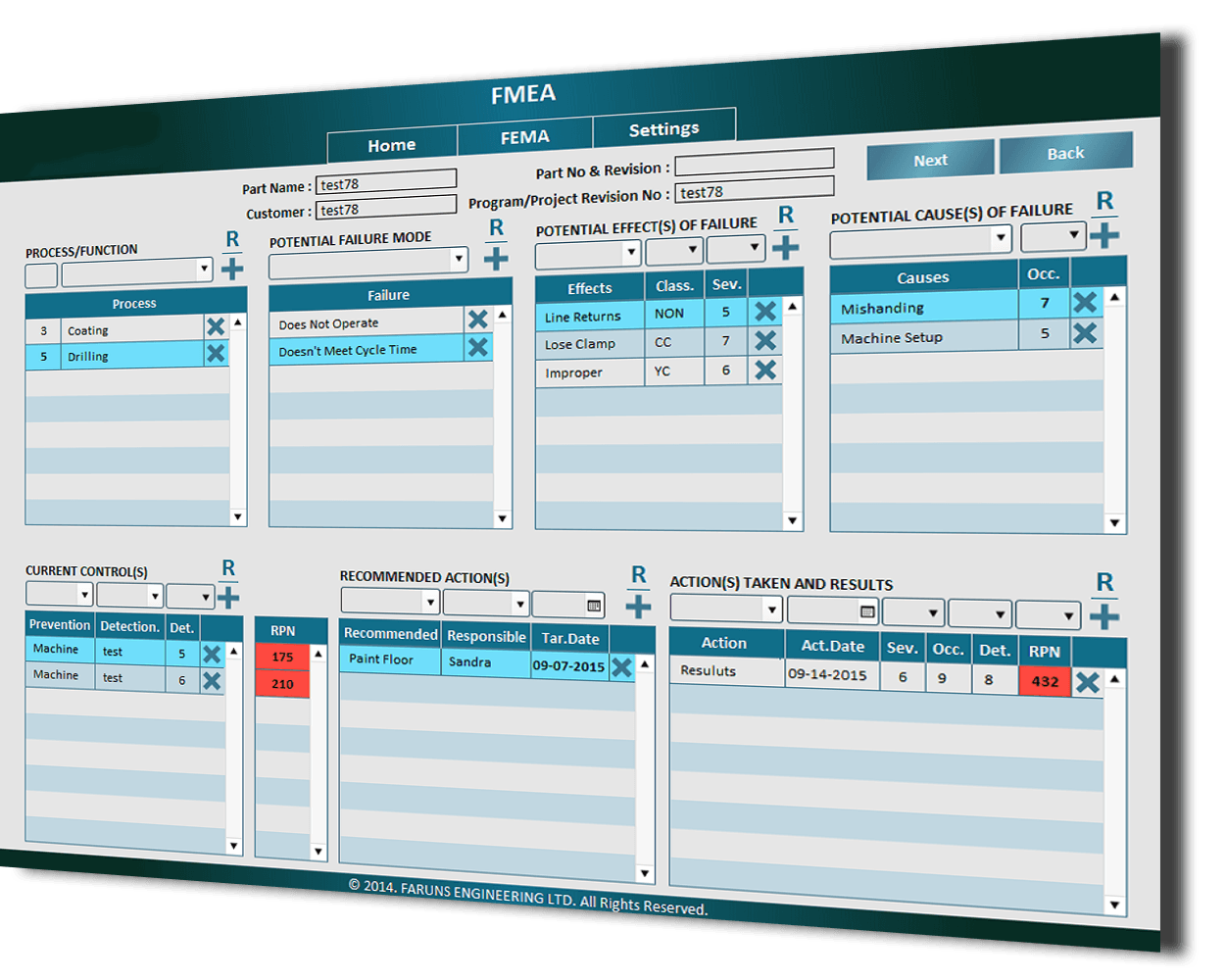
Here in this Project (FMEA) we are Storing and Maintaining FMEA’s Details of a process or project.
The Following are the modules Implemented for a project
1. Home
2. FMEA
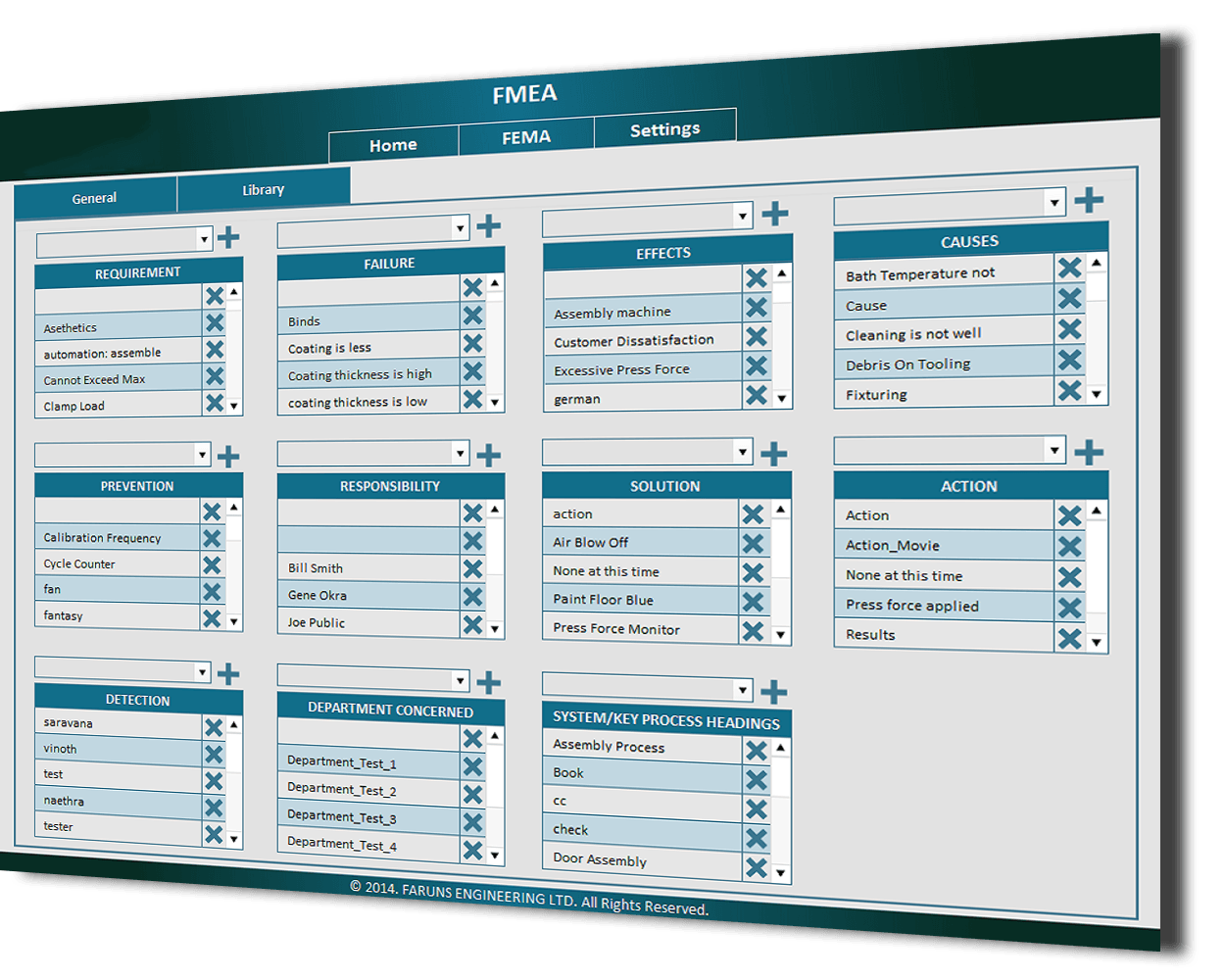
3. Settings
1. Home:
In Home we show the Approved FMEA list, Revision FMEA list and Temporary FMEA list.
2. FMEA:
In FMEA will store the information about the Failure of the process, Cause of the failure, Effects of the failure, Actions to overcome the failure, Responsibility for the action.
3. Settings:
In settings we can add values in master tables these values would be used in the FMEA module.
NIL
NIL
[1 TL + 1 TM + 1 Tester]
Desktop
The system was developed on FileMaker Pro Advanced 13
FileMaker Server 13.
Multi Users.
Contact us now for more FileMaker help.
Click ‘previous’ and ‘next’ to view other projects we have done, or view our whole FileMaker Portfolio. Click the yellow box below for a free FileMaker consultation.